911Switch → Emergency Response App Redesign
Enabling clearer visibility and
rapid emergency assistance

Brief
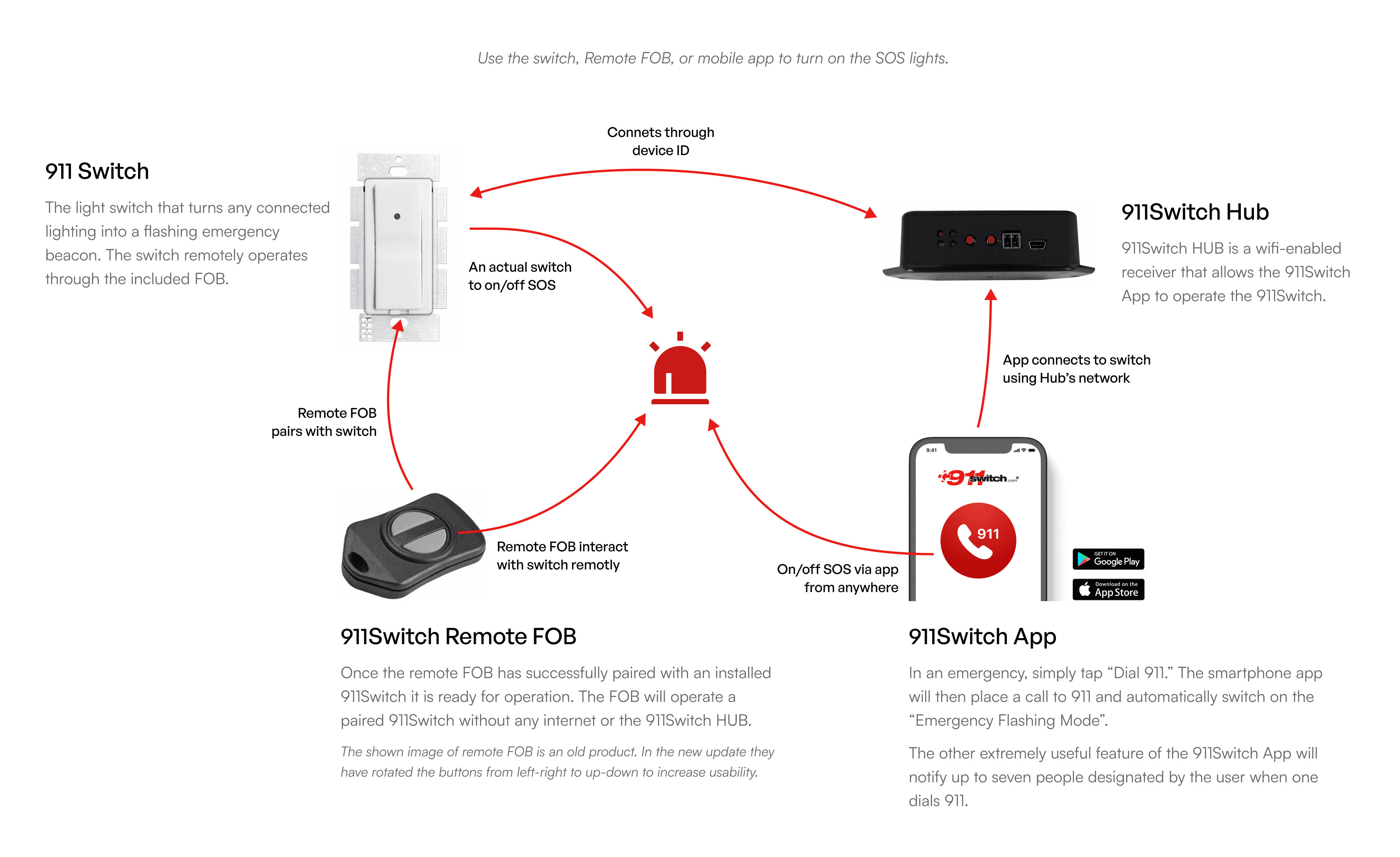
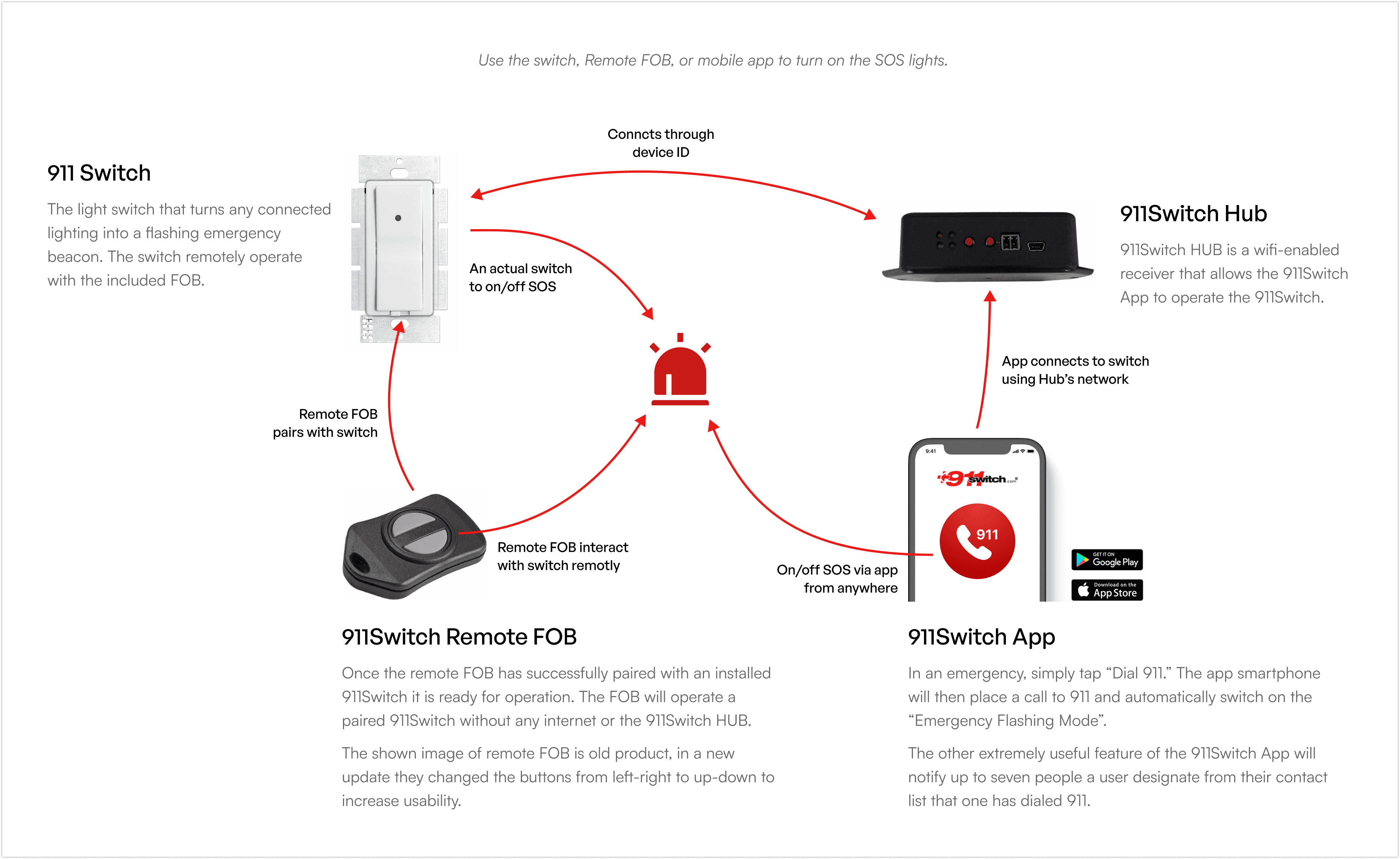
911Switch is an emergency-response product ecosystem designed to help first responders quickly identify the location of a distress call. When a user triggers an SOS through the 911Switch App, the attached exterior home lighting turns into a flashing beacon, helping responders locate the site instantly.
Services
UX Research
UX/UI Redesign
Interaction Design
Visual Design
Design Exploration & Prototyping
Deliverables
911Switch Mobile App Redesign
Domain
Consumer Technology
Challenge
Discovery
Key Insights from Client Discussions
The client wanted a simple, clean, and professional interface.
Existing app looked outdated and childish.
User flow works well and should remain unchanged.
Improved icons, accessible typography, and better use of color were top priorities.
Target Users
Individuals living alone
Primarily senior citizens
Users needing a no-confusion, minimal steps, high clarity interface
Approach
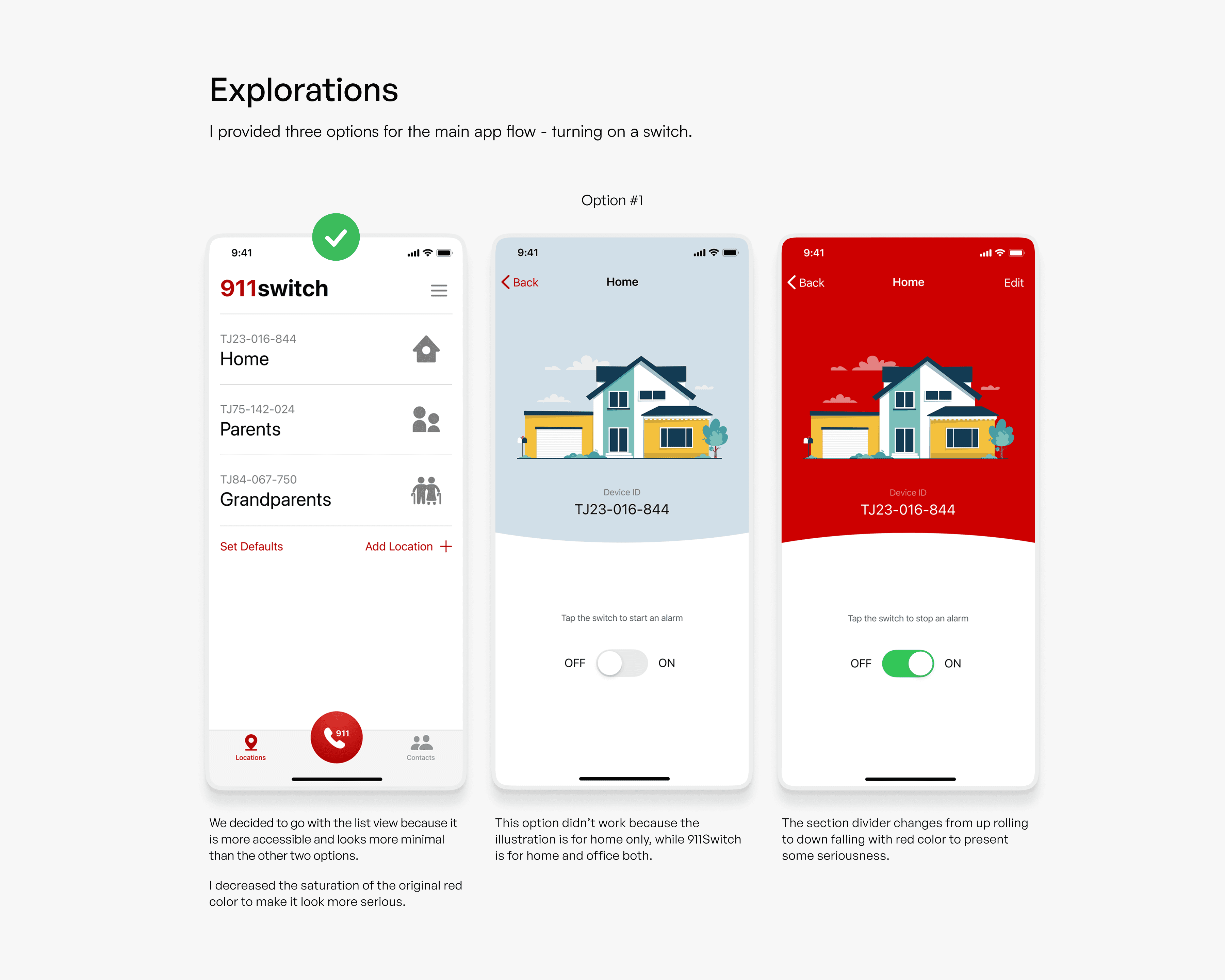
The design process began by mapping the product interactions and reviewing real usage scenarios. Low-fidelity options were created to explore different visual directions for the main SOS flow. Feedback cycles with the client helped validate the final direction.
We focused on making the experience:
Simple
Clear icons, readable labels, and minimal cognitive load.
Consistent
Unified visual language across screens and states.
Reliable
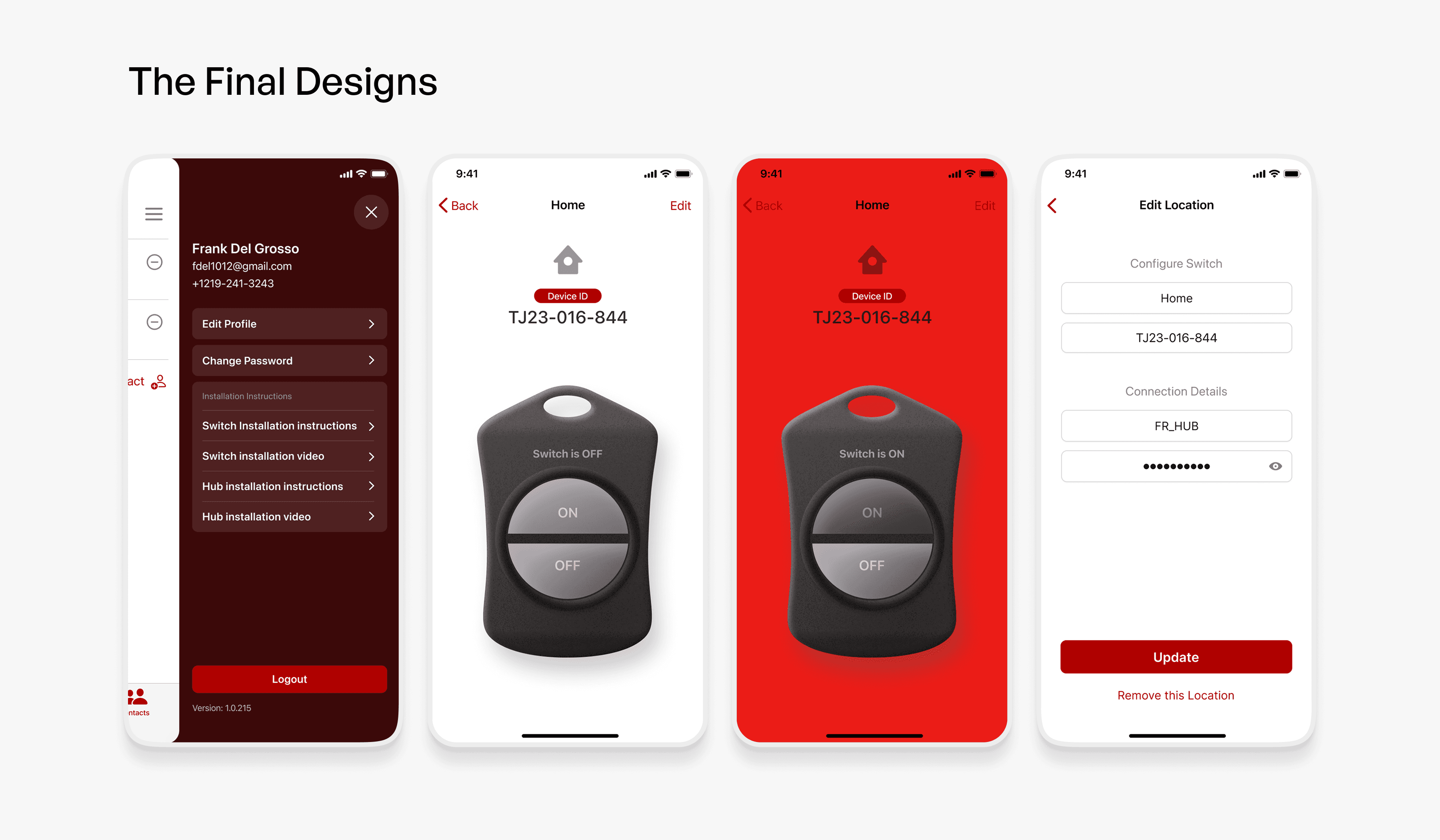
Emergency states clearly communicated through color, animation, and layout.


Design
Our objective for the interface was straightforward, make it effortless to use in high-stress situations, even for users who may not be tech-savvy.
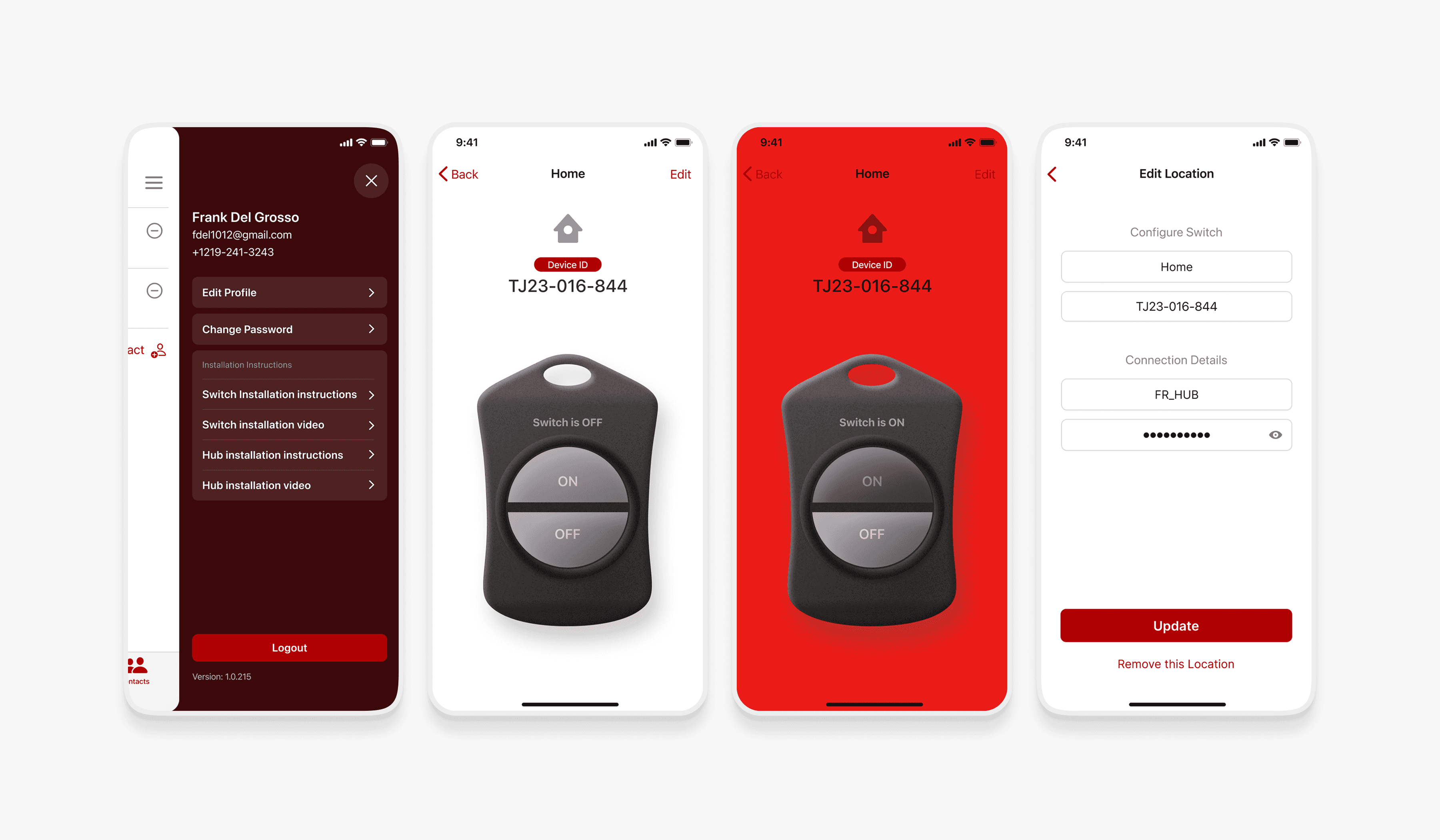
We started with an audit of the existing UI and found a few immediate areas of improvement: mixed icon usage, unclear terminology, too many taps for critical actions, and a visual hierarchy that didn’t guide attention effectively. Instead of reinventing the platform, we focused on simplifying interaction, improving clarity, and strengthening user confidence.
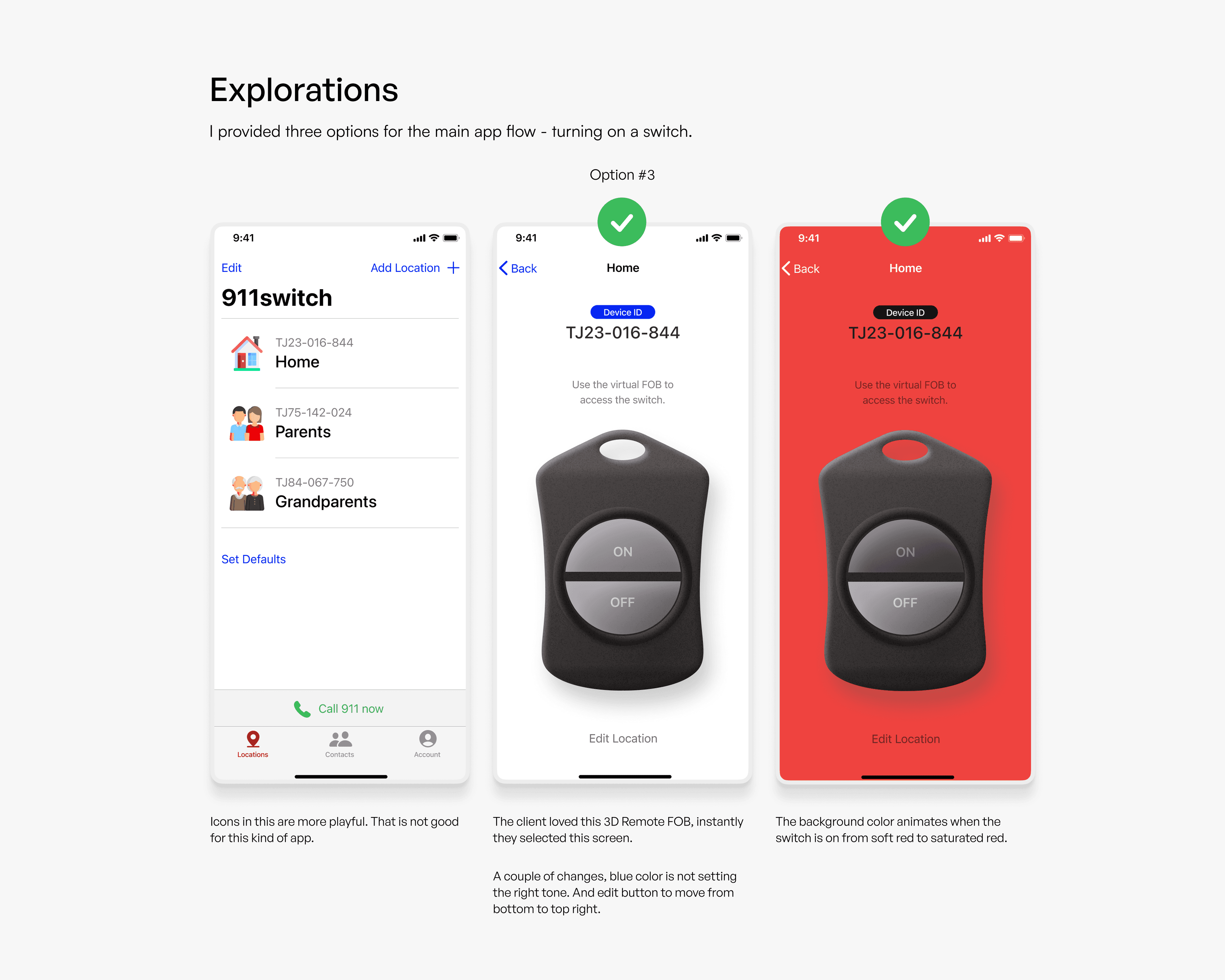
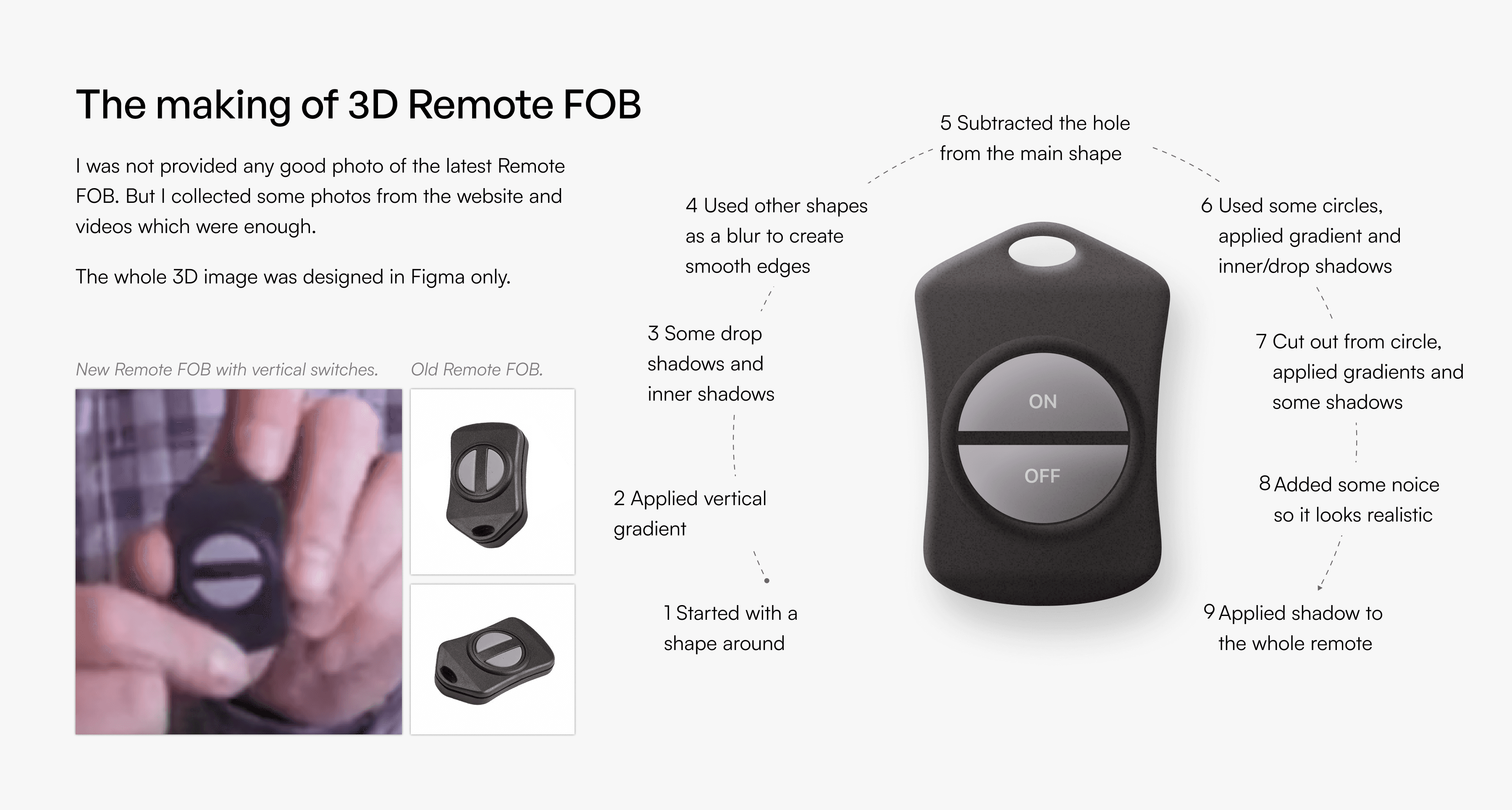
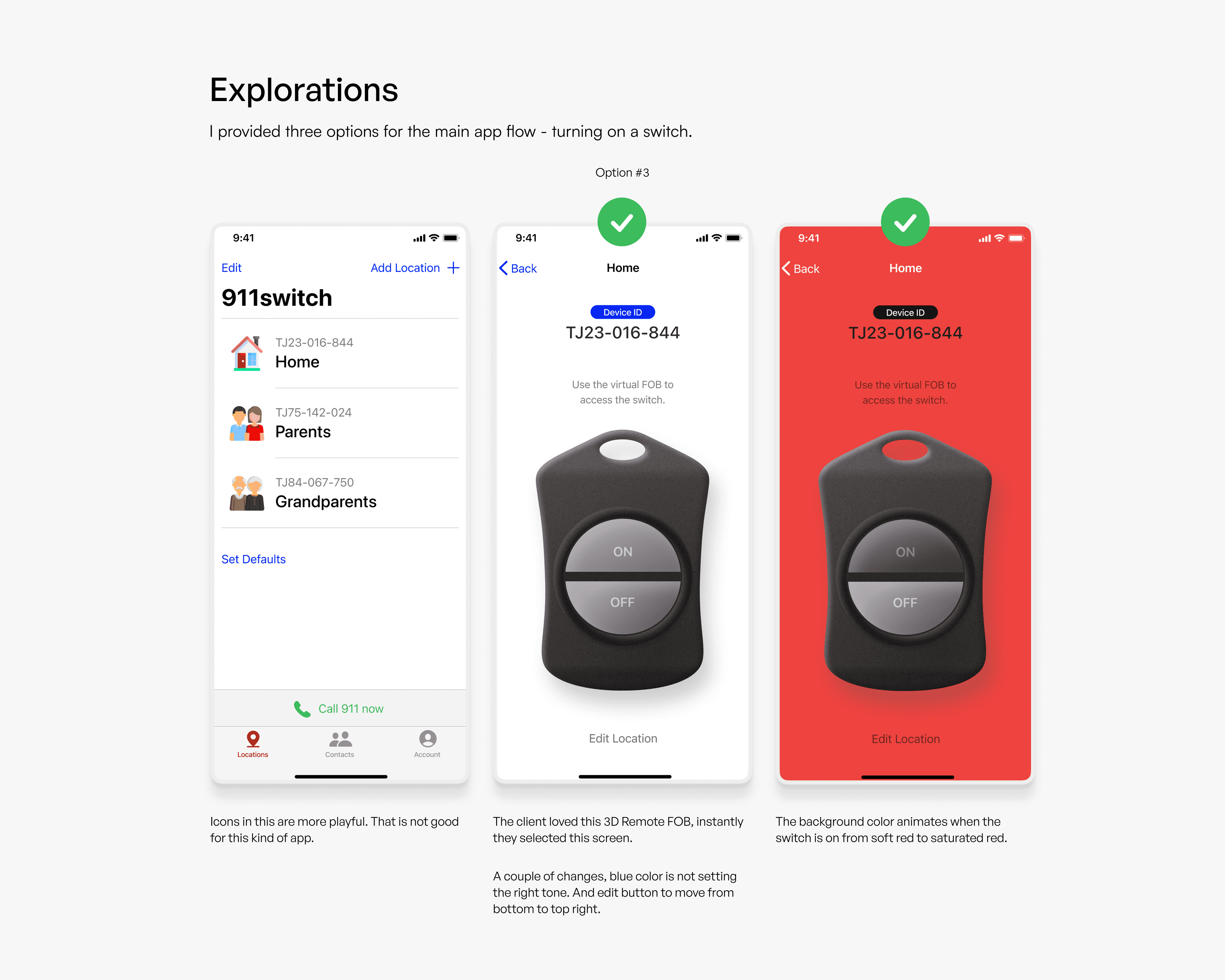
We explored multiple UI directions, including a simplified remote FOB layout and an interface with higher visual contrast and distinct system states. Each iteration focused on reducing cognitive load and increasing response speed.
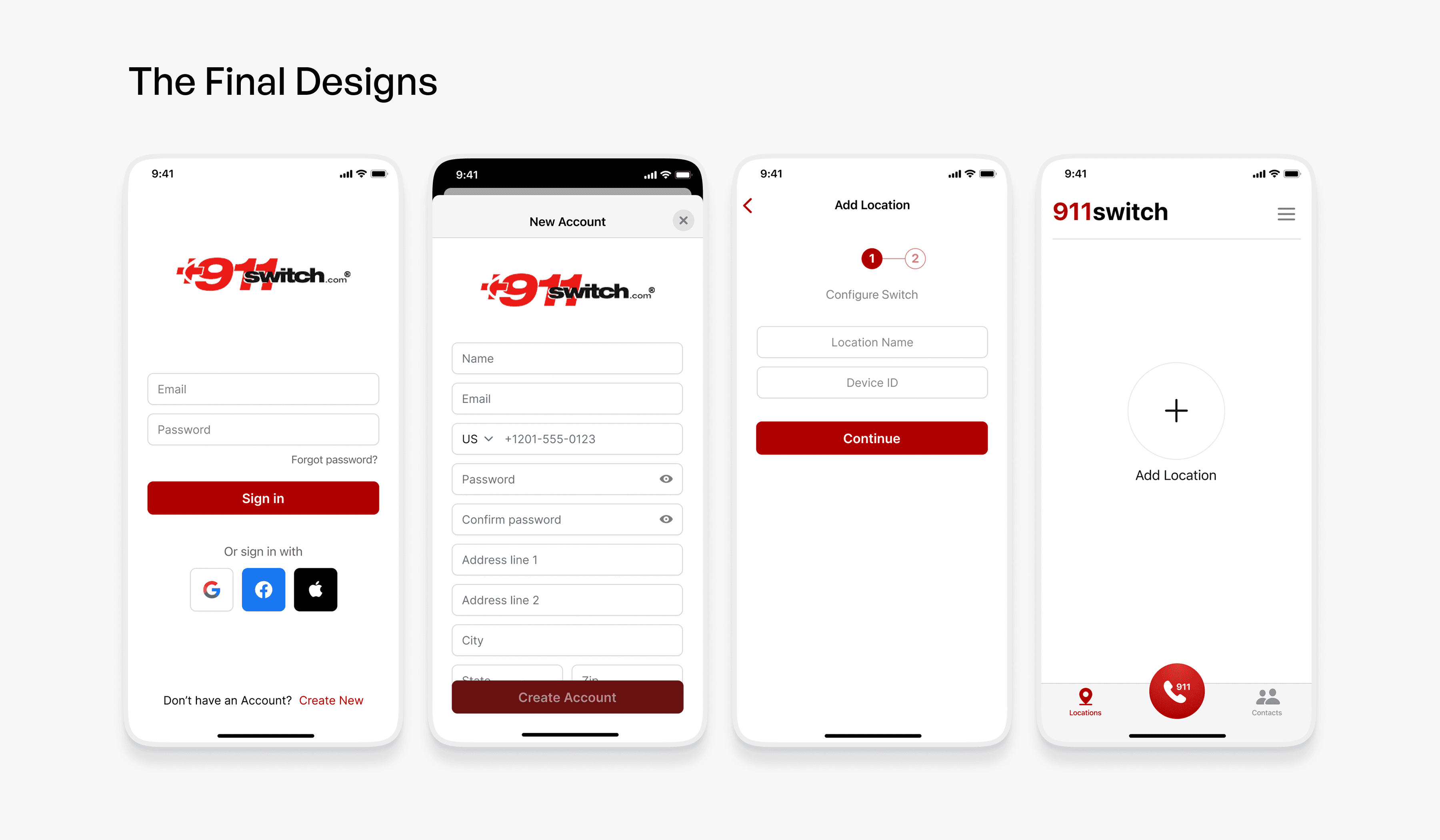
The final design is focused, human, and purposeful. It prioritizes clarity over complexity and brings confidence to a system that needs to work when every second matters.
Outcome
The redesigned 911Switch app improved clarity, seriousness, and usability for emergency conditions.
Users now experience improved readability and guidance
Visual hierarchy supports quick decision-making
Professional design strengthened trust in the system
The client approved the chosen direction instantly
The overall experience now aligns with the life-critical nature of the product
Start Your Next Journey With Us
Need a quick quote, a free 30‑min consultation, or just want to learn more? Drop your details, and we’ll be in touch within 24 working hours to set up a call.
